Apple data transport
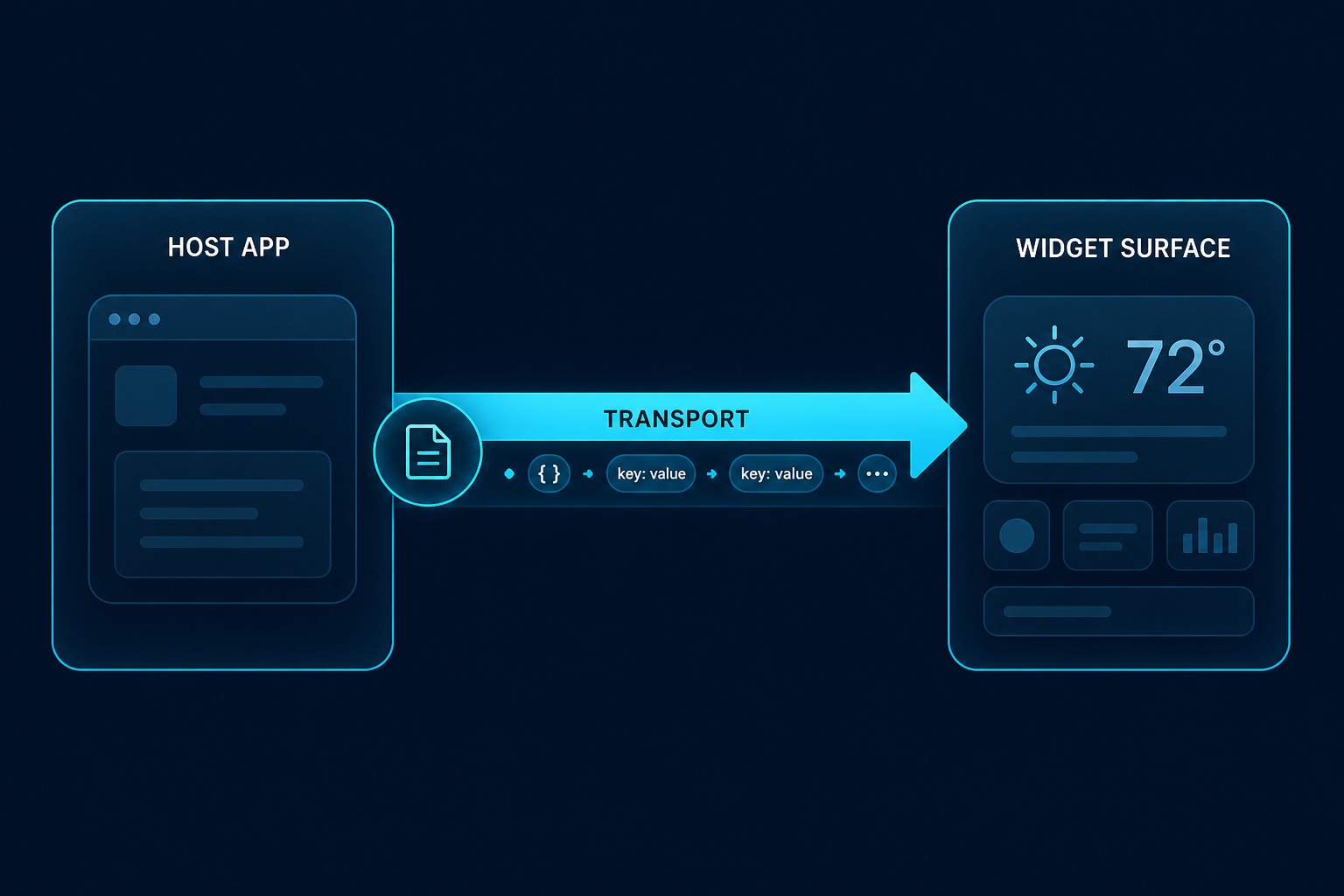
The host writes widget data through one transport you choose in config. You know your signing setup — do not rely on runtime fan-out.
{
  "plugins": {
    "widgets": {
      "appGroup": "group.com.example.myapp",
      "transport": "appGroup",
      "extensionBundleId": "com.example.myapp.widgetkit"
    }
  }
}| Situation | transport |
|---|---|
| Release / Team ID + App Groups enabled | appGroup |
| Mac App Store | appGroup |
| Local ad-hoc signing (no shared App Group container) | widgetContainer |
| iOS (device and simulator) | appGroup only — other values fail at plugin init |
| Not sure yet | auto once at startup (dev only) — read the log, then pin the winner in conf |
transport | Host write path | Requirements |
|---|---|---|
appGroup | containerURL(group)/widget_data.json | Real Team ID + App Groups on App + Extension |
userDefaults | App Group UserDefaults suite | Same as appGroup |
widgetContainer | ~/Library/Containers/<appex>/Data/widget_data.json | macOS host not sandboxed; works with ad-hoc |
auto | One-shot probe, then latch | Development only — never ship this |
Wrong transport / missing appGroup fails plugin init with a concrete message (empty widgets from a silent fallback are not a thing).
init-macos / init-ios write this block (transport inferred on macOS from codesign identities; iOS always appGroup). Re-run discovery anytime:
npx tauri-widgets signing
npx tauri-widgets signing --apply
Override without editing conf: WIDGET_TRANSPORT=widgetContainer.
The widget extension still reads all channels and picks the freshest map (so it can find data wherever the host wrote). Host-side writes use only the configured driver. Render receipts feed getWidgetDiagnostics, not transport selection.
setItems skips disk I/O when the value is unchanged (no nonce bump).
App Groups & signing (plugin consumers)
For live widgets that share data with the host you need the same App Group id in four places, plus a Team ID that actually owns that group.
| Place | What to set |
|---|---|
| Apple Developer → Identifiers | App Group + both App IDs with App Groups capability |
| Xcode Signing & Capabilities (app + widget targets) | Same group checked |
plugins.widgets.appGroup in tauri.conf.json | Same string |
JS setWidgetConfig(config, group, …) | Same string as group |
Swift TauriWidgetProvider(appGroup:widgetId:) must use that group too (CLI templates fill it).
Register on the Developer portal
You need Account Holder or Admin on the team that signs the app (the Team ID in Xcode / bundle.iOS.developmentTeam).
- Identifiers → + → App Groups
Identifier likegroup.com.example.myapp(reverse-DNS). Register. - Identifiers → + → App IDs (type App) for the main bundle, e.g.
com.example.myapp
Enable App Groups → Configure → tick your group → Save. - Repeat for the widget bundle, e.g.
com.example.myapp.WidgetExtension
Same App Groups tick → Save. - In Xcode, set Team on both targets, Automatic signing, and add the App Groups capability if it is not already there.
Then pin config:
{
  "plugins": {
    "widgets": {
      "appGroup": "group.com.example.myapp",
      "transport": "appGroup"
    }
  },
  "bundle": {
    "iOS": {
      "developmentTeam": "YOUR_TEAM_ID"
    }
  }
}
iOS always needs transport: "appGroup". macOS with a real Team ID should use appGroup too; for local ad-hoc without a shared container use widgetContainer (macOS setup).
“Identifier is not available”
If the portal says An Application Group with Identifier '…' is not available:
- The id is already registered on another team (or another Apple ID). You cannot recreate it under this team.
- Either switch Xcode /
developmentTeamto the team that owns the group, or register a new unique id (e.g.group.com.example.myapp2) and update conf, entitlements, Swift, and JS together.
Confirm you are editing Identifiers for the same team as DEVELOPMENT_TEAM / bundle.iOS.developmentTeam.
Signing cheat sheet
| Host | Signing | transport |
|---|---|---|
| iOS device / TestFlight | Apple Development or Distribution + Team ID | appGroup |
| iOS Simulator | Development / Automatic | appGroup (portal group still required for Automatic profiles with the entitlement) |
| macOS, Team ID / Developer ID / MAS | Real identity | appGroup |
macOS, ad-hoc (-) | No shared App Group container | widgetContainer |
List identities (or use the CLI):
npx tauri-widgets signing
security find-identity -v -p codesigning
For CI / local env vars used by Tauri Apple builds (APPLE_DEVELOPMENT_TEAM, optional ASC API key), keep secrets out of git. Unset APPLE_API_KEY / APPLE_API_ISSUER / APPLE_API_KEY_PATH when running tauri ios build if you need real codesign — with those set, tauri-cli may stamp a dummy identity.
Sanity check
npx tauri-widgets doctor
# or: pnpm tauri-widgets doctor /path/to/your-app
Checks conf ↔ entitlements ↔ project mentions of the App Group, and (when a built .app exists) ad-hoc vs Team ID mismatches. Details: Doctor.
Platform walkthroughs: iOS setup · macOS setup.