
DevTools
In-app debug bar for Sova HTML apps — Symfony / Clockwork style. Inspect the last request, SQL, logs, outbound HTTP, mail, session, and a live site-wide timeline — without leaving the browser.
Development only
DevTools is off in release builds (cargo build --release). Toml or .enabled(true) cannot turn it on there. Ops escape hatch: SOVA_DEVTOOLS=1.
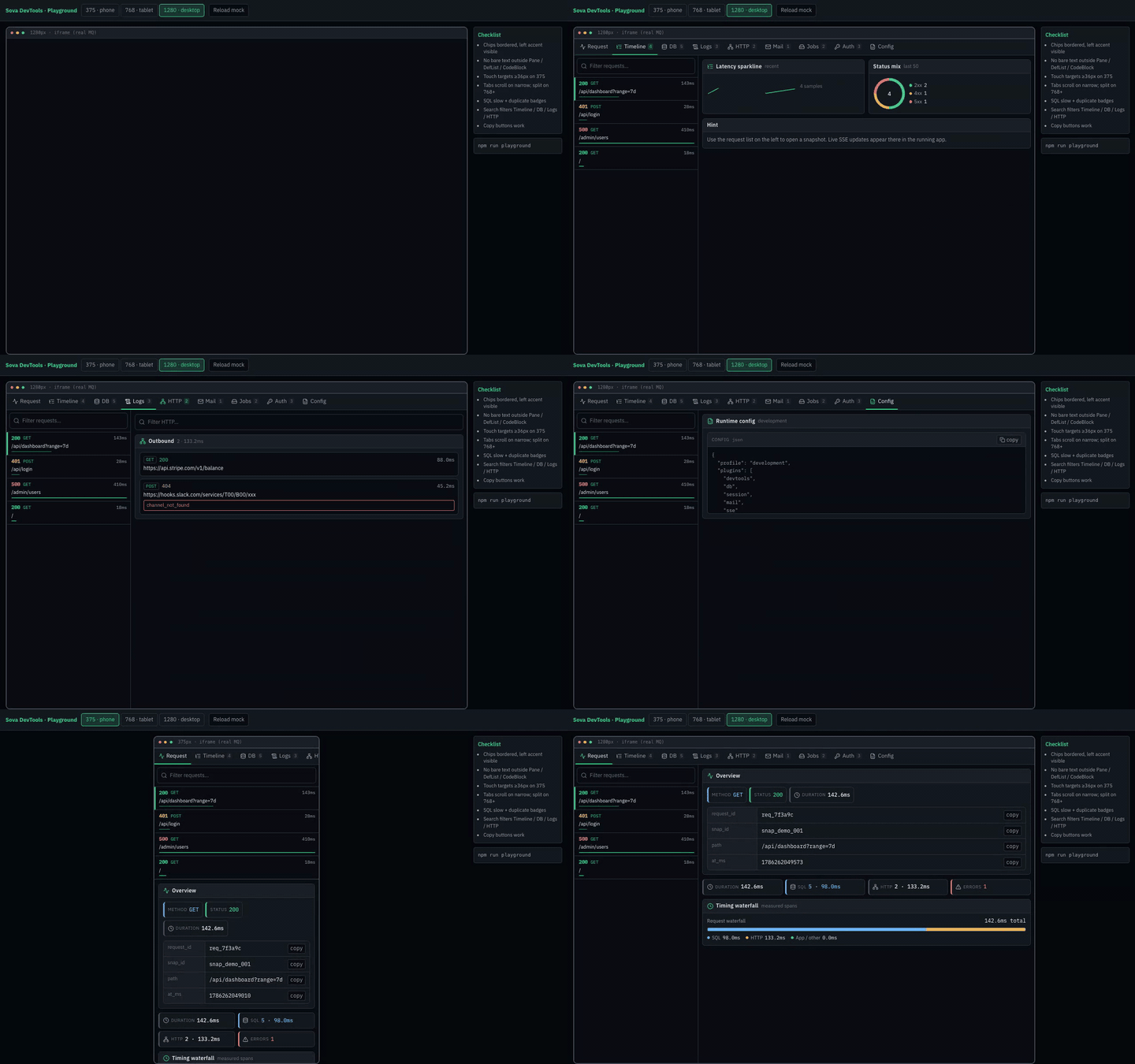
Install
cargo add sova --features "web,devtools"use sova::{App, DevTools, Parser, ServerArgs};
#[tokio::main]
async fn main() -> sova::Result<()> {
let args = ServerArgs::parse();
args.init_tracing();
let mut app = App::web()
.site("App")
.public_url("http://127.0.0.1:3000")
.into_app();
app.install(DevTools::new()); // on in debug / development by default
app.get("/", || async { sova::Html("<html><body><h1>hi</h1></body></html>") });
app.run().await
}Demo app in the repo:
cargo run -p devtools_demo
# http://127.0.0.1:3030/
What you get
| Surface | Purpose |
|---|---|
| Bottom bar | Status / time / SQL / errors chips; click to dock the panel |
| Dock panel | Full Vue SPA in an iframe (/_devtools/app?embed=1) |
| New tab | Open the same SPA in a browser tab |
| SSE feed | Live request.finished, custom, memory.sample |
| JSON API | Snapshots, logs, custom events, memory, config under /_devtools/* |
Tabs
In New tab / shell mode (/_devtools/app) tabs are grouped in the left sidebar:
| Group | Tabs |
|---|---|
| Inspect | Request, Timeline |
| Storage | DB, Cache, Jobs |
| Messaging | Redis, Rabbit |
| APIs | HTTP, GraphQL, gRPC |
| Runtime | Logs, Mail, Auth, Events, Memory, Config |
The dock iframe keeps a compact horizontal tab bar (space-constrained).
| Tab | Contents |
|---|---|
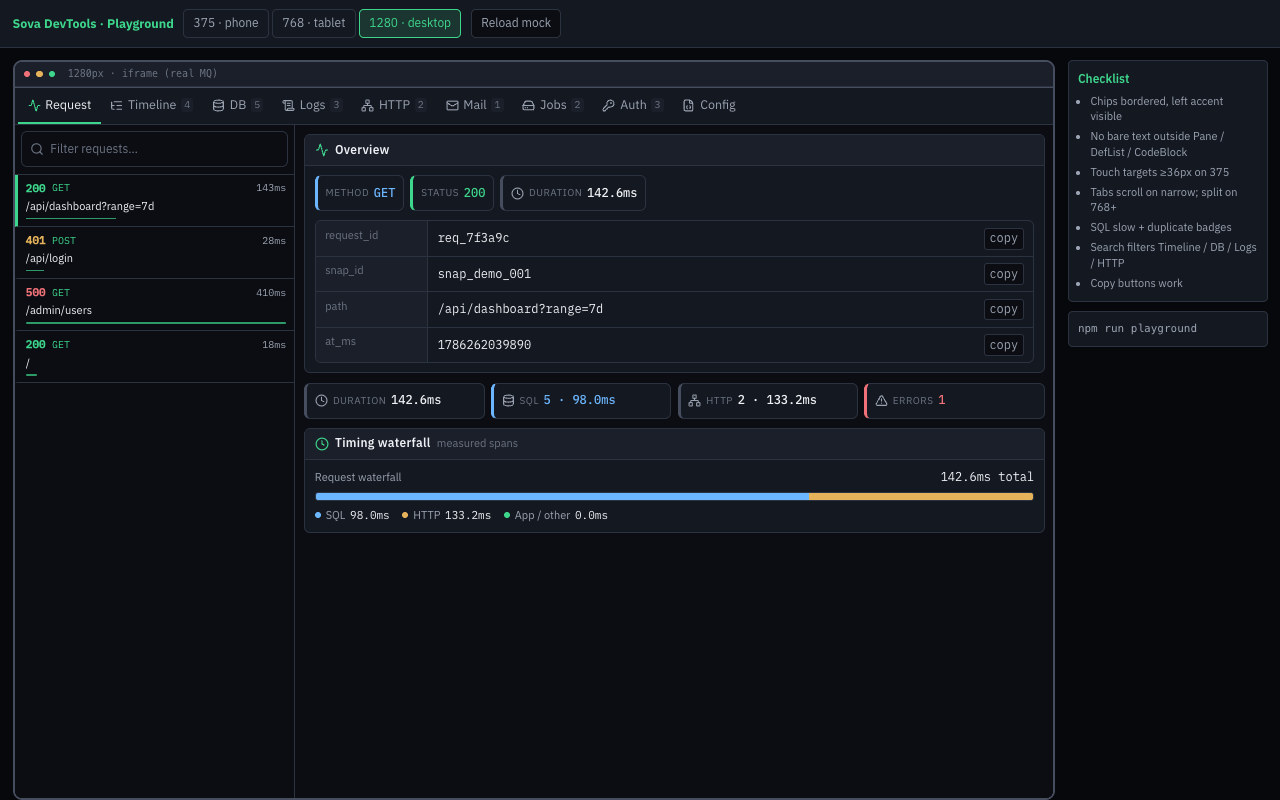
| Request | Method, path, status, duration, route / locale / CSRF / rate-limit / encoding |
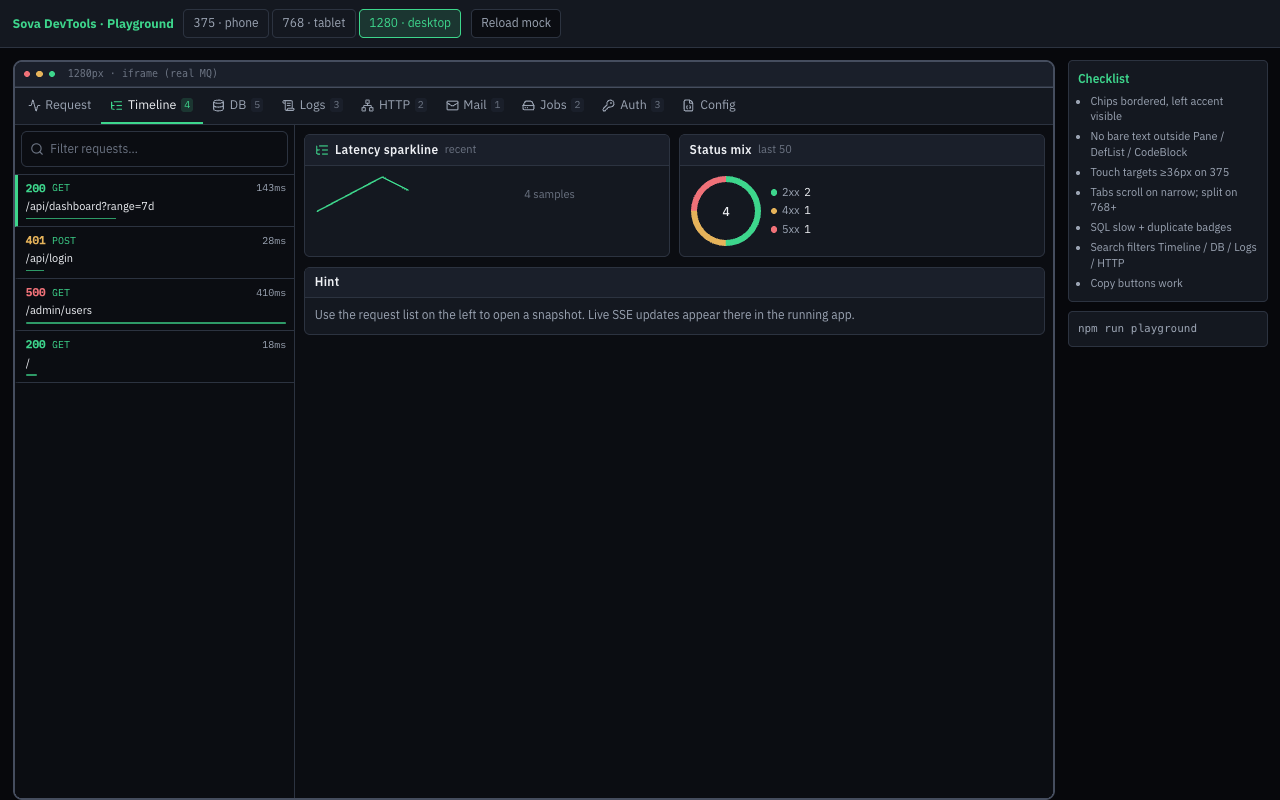
| Timeline | Recent requests (SSE); click to load a snapshot |
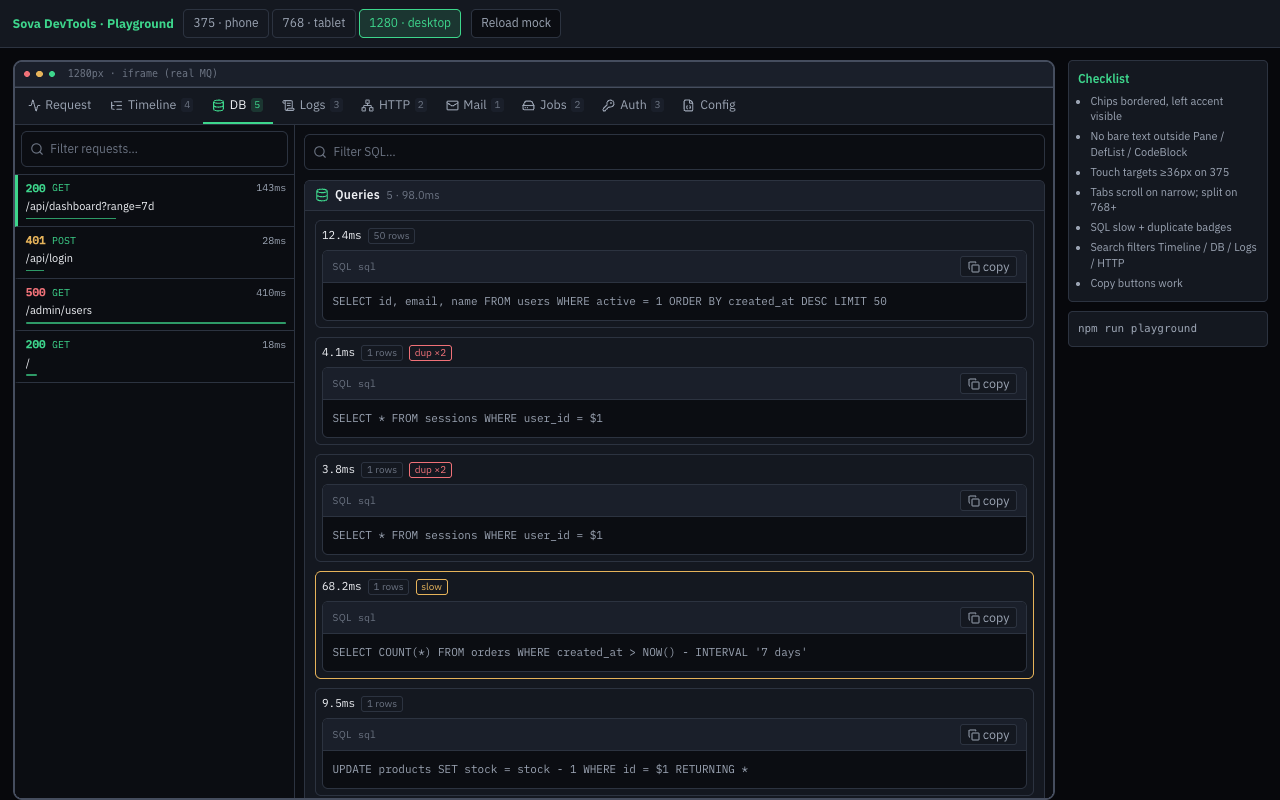
| DB | SQL queries for the selected request (bindings redacted) |
| Cache | AppStore / Cache ops (sova.store) + KV console |
| Redis | Redis ops (sova.redis) + Redis console (Messaging group) |
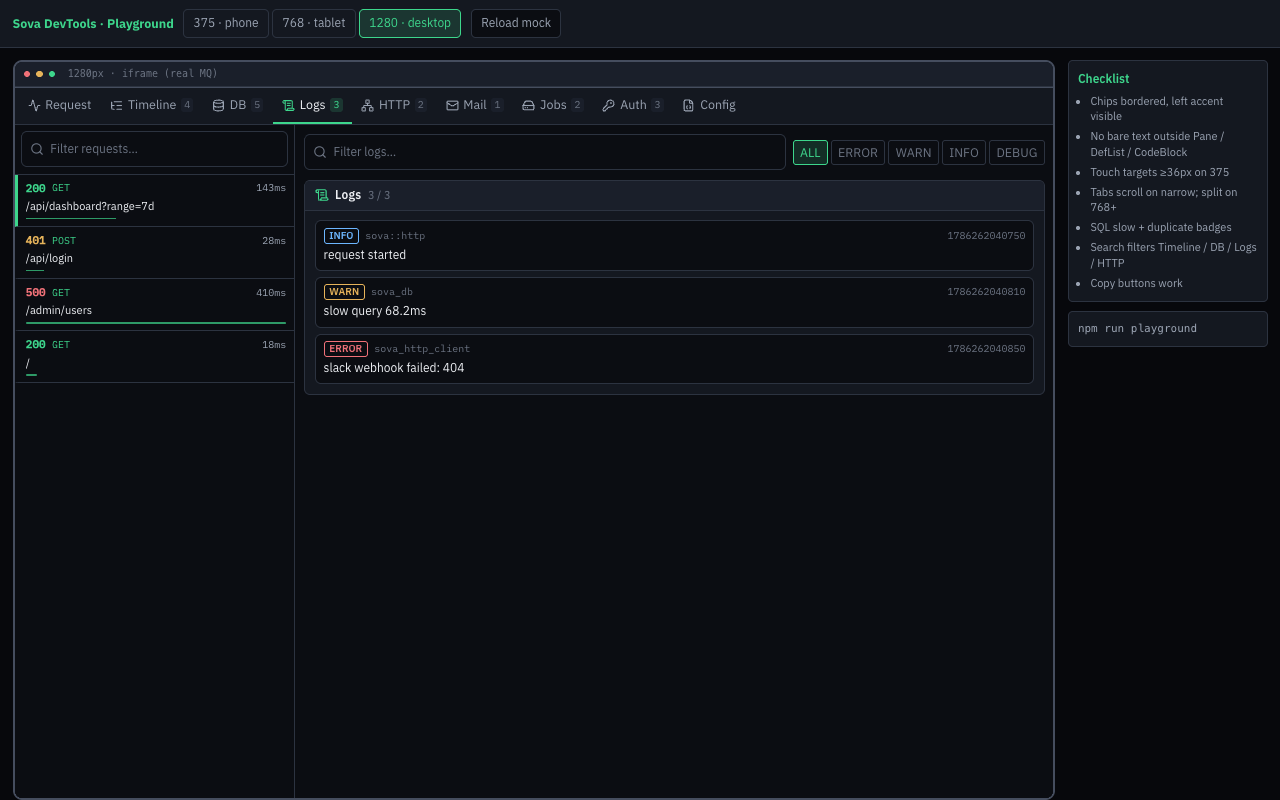
| Logs | tracing / console lines (per-request + site-wide) |
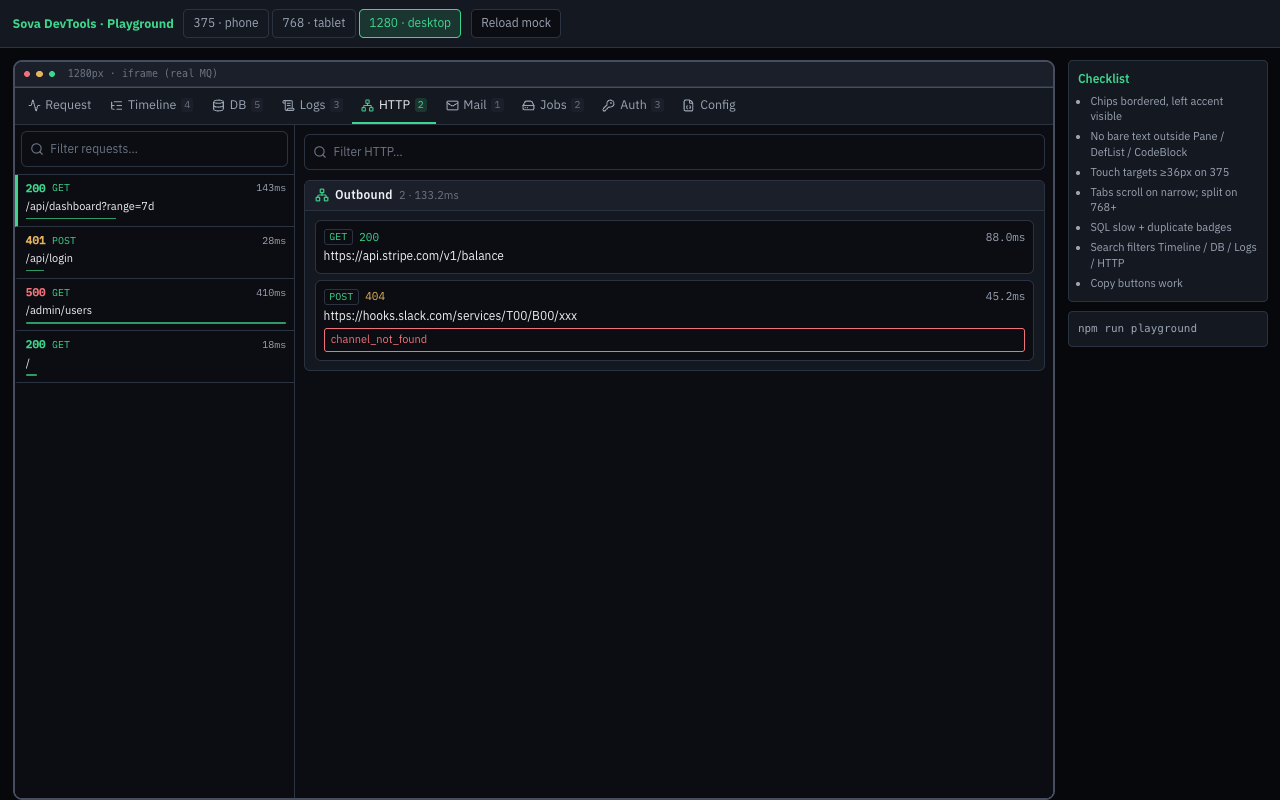
| HTTP | HTTP client (replay) + outbound client traces |
FakeMail / last messages (with mail feature) | |
| Jobs | Task enqueue / worker (sova.tasks) |
| Auth | Session keys + user / email / roles; Session console (edit keys) |
| Events | Custom hub.emit + forwarded domain EventBus (auth/mail/csrf/session/tasks/…) |
| Memory | Process RSS sparkline + current/peak/min (Linux + macOS; ~2s) |
| Config | Profile + compiled DevTools feature flags |
What comes from where
| Signal | Source | Needs |
|---|---|---|
| Route pattern | MatchedRouteCapture soft-hook | always |
| Locale | LocaleCode | devtools-i18n / sova-devtools/i18n |
| CSRF present | CsrfToken | devtools-csrf |
| Rate-limit headers | ratelimit-* / x-ratelimit-* on response | always (headers) |
| Content-Encoding | response header | always |
| Session / user | Session + CurrentUser | devtools (auth) |
| SQL | sqlx / SeaORM logs | devtools (db) + sqlx logging |
| Outbound HTTP | http.client spans | http-client + sova-devtools/http |
FakeMail bag + MailSent EventBus | mail | |
| Custom events | DevToolsHub::emit / auth EventBus | always (hub) / auth |
| Memory RSS | background sampler (cross-platform) | always when DevTools enabled |
| Cache / KV | tracing target: "sova.store" | devtools-store (instrumented store) |
| Redis pub/queue | target: "sova.redis" | devtools-redis |
| Jobs | target: "sova.tasks" | devtools (tasks) |
Facade features: devtools, devtools-store, devtools-redis, devtools-i18n, devtools-csrf, devtools-passport, devtools-rate-limit.
How it works
- Middleware opens a collector bag for every non-
/_devtoolsrequest (needsrequest_id). - Soft hooks attach SQL / HTTP / mail / session data while the request runs.
- On finish, a snapshot is stored and broadcast over SSE.
- HTML responses get a tiny host marker +
bridge.js(not the full SPA). - The bar toggles a dock iframe; New tab opens
/_devtools/app.
Access logs for /_devtools/* are skipped via logger_skip_path("/_devtools") so the panel does not pollute the console or its own Logs tab.
Enable / disable
| Context | Behavior |
|---|---|
cargo run / debug build, development profile | On by default |
Debug build + SOVA_PROFILE=production | Off, unless .enabled(true) or SOVA_DEVTOOLS=1 |
cargo build --release | Off, unless SOVA_DEVTOOLS=1 |
SOVA_DEVTOOLS=0 | Always off |
[development.devtools]
enabled = true

[production.devtools]
enabled = falseSOVA_DEVTOOLS=1 # force on (including release)
SOVA_DEVTOOLS=0 # force offapp.install(DevTools::new()); // default
app.install(DevTools::new().enabled(true)); // debug only — ignored in release
app.install(DevTools::new().request_cap(200).log_cap(1000));Filling the tabs
Install related plugins before DevTools when you want those panels populated:
app.install(Mail::from_env());       // Mail tab (fake backend)
app.install(OutboundHttp::new());    // HTTP tab
app.install(DevTools::new());
For Cache / Redis / Jobs, use instrumented plugins (sova-store / sova-redis / sova-tasks) and enable the matching facade features (devtools-store, devtools-redis; jobs come with devtools).
SQL (SeaORM): enable sqlx logging, e.g. Db::from_env().sqlx_logging(true) and/or RUST_LOG=sqlx=debug.
Skip other noisy routes from access logs:
sova::logger_skip_path("/healthz");Responsive UI
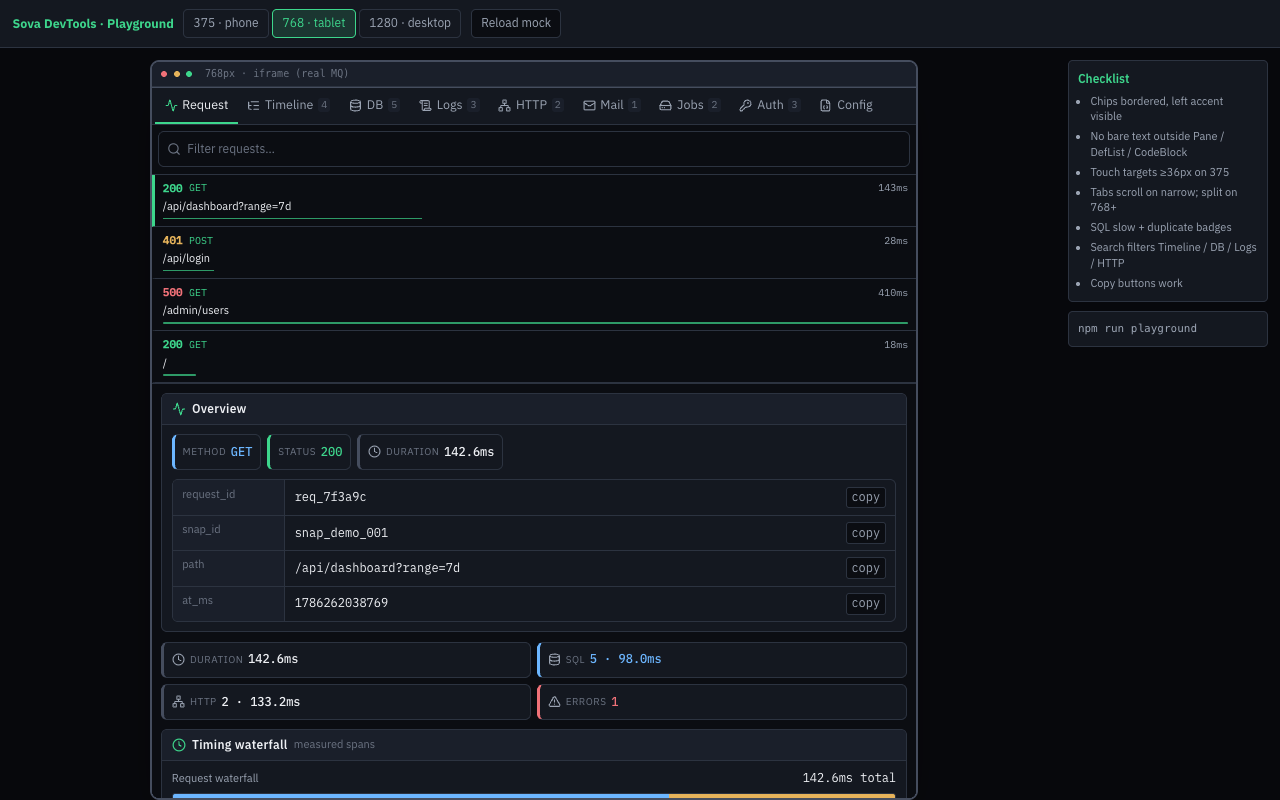
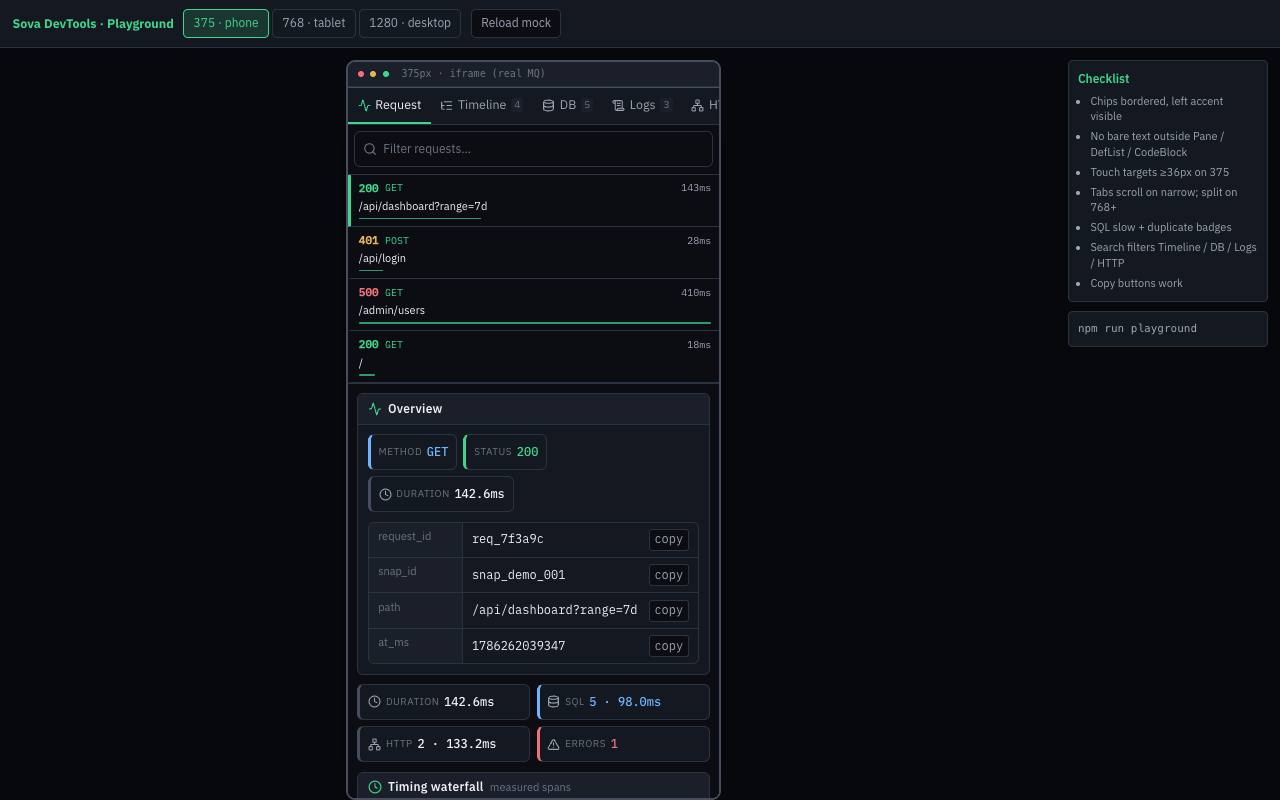
The dock uses the host window width for breakpoints. The UI playground (Vite) embeds the same SPA in an iframe so phone/tablet presets exercise real media queries:
npm --prefix plugins/sova-devtools/ui run playground
# http://localhost:5175/playground.html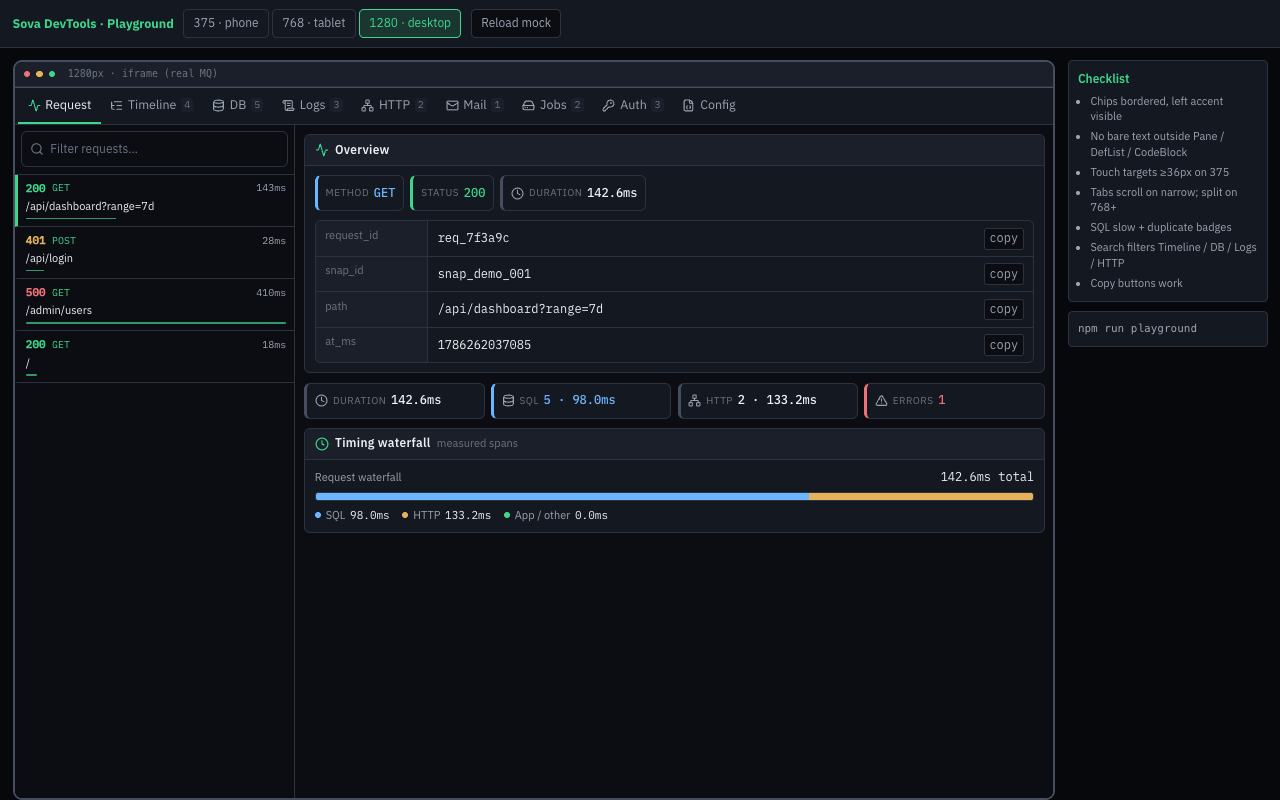
Console (control panel)
With the console feature (included in facade devtools / devtools-console), DevTools provides interactive consoles:
| UI | Action domain | Endpoint |
|---|---|---|
| HTTP tab | HTTP replay (app + external) + outbound traces | POST /_devtools/actions/http |
| Redis tab | Redis GET/SET/DEL/TTL/SCAN/PUBLISH + SSE | POST /_devtools/actions/redis, GET /_devtools/stream/redis |
| Cache tab | AppStore namespace ops | POST /_devtools/actions/store |
| GraphQL tab | In-process schema execute | POST /_devtools/actions/graphql |
| Jobs tab | Enqueue task | POST /_devtools/actions/tasks |
| Mail tab | Fake compose | POST /_devtools/actions/mail |
| Events tab | Emit custom event | POST /_devtools/actions/events |
| Auth tab | Session list/set/del/regenerate | POST /_devtools/actions/session (devtools-console-session) |
Console POST requests must include CSRF token + cookies when the app uses the web preset. The UI loads csrf_token from GET /_devtools/config on boot and sends X-XSRF-TOKEN on every console action.
The HTTP tab combines a Postman-like client (method/path, query params, headers, body, response, history) with outbound trace lines for the selected request. Double-click a request in the timeline → prefill + navigate to HTTP.
Redis in demo: Redis::fake() — in-memory, no Docker:
app.install(Redis::fake(FakeRedis::new()));
app.state(AppDispatch::default());
app.install(DevTools::new().console(true));
Facade: devtools-console, devtools-console-redis, devtools-console-store, devtools-console-graphql, devtools-console-tasks, devtools-console-mail, devtools-console-http-external, devtools-console-events, devtools-console-rabbit, devtools-console-session.
Security notes
/_devtools/*is a debug surface (GET reads + POST console actions) — do not expose it on the public internet.- Release builds keep the plugin inert even if you forget to strip the feature from
Cargo.toml. - Session values and SQL bindings are redacted/masked in the UI.
- HTML pages that get the bar send
Cache-Control: no-storeso browser Back is not served from bfcache (otherwise no server hit → empty Timeline).
Related
- Plugin catalog: devtools
- Example:
examples/web/devtools(devtools_demo) - Core helper:
sova::logger_skip_path(skip noisy routes from access logs)